
PHPMyAdmin is a graphical interface looking as follow:
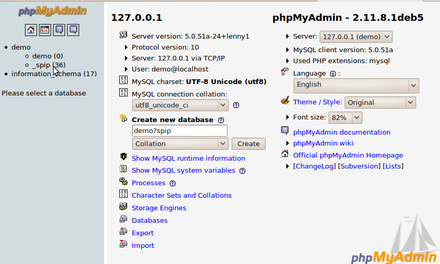
When using AlternC, you don’t need PHPMyAdmin to create a database. You just need to go to the MySQL bloc in the Virtual Desktop menu as we shown it in the chapter Create a database
If you want to give some access to your website to a webdesigner and don’t want to give him a complete access to your hosting account, you should proceed as follow:
- Create the databases your website will need from the Virtual Desktop of AlternC (see Create a database).
- Create a MySQL user with a specific username and password, (see Create a MySQL user).
- Give this user enough rights on the databases he will need, see Give rights to users in MySQL.
- Create a specific FTP account, if it’s not already done. See Create and manage FTP accounts
- Send all those parameters to your webdesigner or developper, along with the URL of the PHPMyAdmin interface, which is something like :
https://myserver.octopuce.fr/alternc-sql/?server=2in which "myserver" should be replaced by your server name.
Test all those parameters before sending them to your webdesigner.


